
ฟรี · โอเพนซอร์ส · สำหรับ Android Free · Open source · Android
โอนปุ๊บ
มูจดให้ปั๊บ
You pay.
Moo jots it down.
MooJot อ่านสลิปที่แอปธนาคารบันทึกไว้ในมือถือ แล้วจดรายจ่ายพร้อมแยกหมวดให้เอง ทุกอย่างทำในเครื่องคุณ ไม่ต้องสมัคร ไม่มีโฆษณา ฟรีทุกฟีเจอร์
MooJot reads the payment slips your banking apps save to your phone, then logs and sorts every expense for you. It all happens on your phone: no sign-up, no ads, every feature free.

เวอร์ชันแรกกำลังจะมา
The first release is almost here
ยังไม่มีไฟล์ให้ดาวน์โหลดตอนนี้ อยากรู้ทันทีที่ปล่อย? เข้า GitHub แล้วแตะ Watch → Custom → Releases หรือแวะกลับมาที่ moojot.trajectonomics.com อีกครั้ง
There's nothing to download just yet. To hear the moment it lands, open GitHub and tap Watch → Custom → Releases, or come back to moojot.trajectonomics.com.
ติดตามบน GitHubFollow on GitHubติดตั้งInstall
ติดตั้งใน 3 ขั้นตอนInstall in 3 steps
MooJot ยังไม่อยู่บน Play Store เลยติดตั้งจากไฟล์ APK แทน ใช้เวลาไม่ถึงนาที
MooJot isn't on the Play Store yet, so you install the APK file directly. It takes under a minute.
-
ดาวน์โหลดไฟล์Download the file
แตะปุ่มดาวน์โหลด ถ้า Chrome ขึ้นว่า “ไฟล์นี้อาจเป็นอันตราย” ให้แตะ “ดาวน์โหลดต่อ” ไฟล์มาจากหน้า Releases บน GitHub ของโปรเจกต์โดยตรง
Tap the download button. If Chrome says the file might be harmful, tap “Download anyway”. It comes straight from the project's GitHub releases.
ดาวน์โหลด APKDownload APK เร็วๆ นี้Coming soon -
อนุญาตให้ติดตั้งAllow the install
แตะไฟล์ที่โหลดเสร็จ ถ้า Android ไม่ให้ติดตั้งแอปที่ไม่รู้จัก แตะ “การตั้งค่า” → เปิด “อนุญาตจากแหล่งที่มานี้” → กลับมาแตะ “ติดตั้ง”
Open the finished download. If Android blocks unknown apps, tap Settings, turn on “Allow from this source”, then go back and tap Install.
ถ้า Play Protect เตือน แตะ “รายละเอียดเพิ่มเติม” → “ติดตั้งต่อไป”
If Play Protect warns you, tap “More details” → “Install anyway”.
-
เปิดแอป ให้มูอ่านสลิปOpen it and let Moo read
อนุญาตให้ MooJot เข้าถึงรูปภาพ แล้ว ดึงหน้าแรกลง มูจะอ่านสลิปจากอัลบั้มของแอปธนาคารแล้วจดให้ครบ ไม่ต้องใช้อินเทอร์เน็ต
Allow MooJot to see your photos, then pull down on the home screen. Moo reads the slips in your banking apps' albums and logs them, with no internet needed.
อัปเดต: โหลดไฟล์ใหม่จากหน้านี้แล้วติดตั้งทับได้เลย ข้อมูลเดิมอยู่ครบ
Updating: download the new file from this page and install it over the old one. Your records stay.
อยากตรวจไฟล์? ทุกเวอร์ชันมีไฟล์ SHA256SUMS ให้เทียบ
Want to check the file? Every release ships a SHA256SUMS file.
หน้าตาScreens
หน้าตาในแอปInside the app
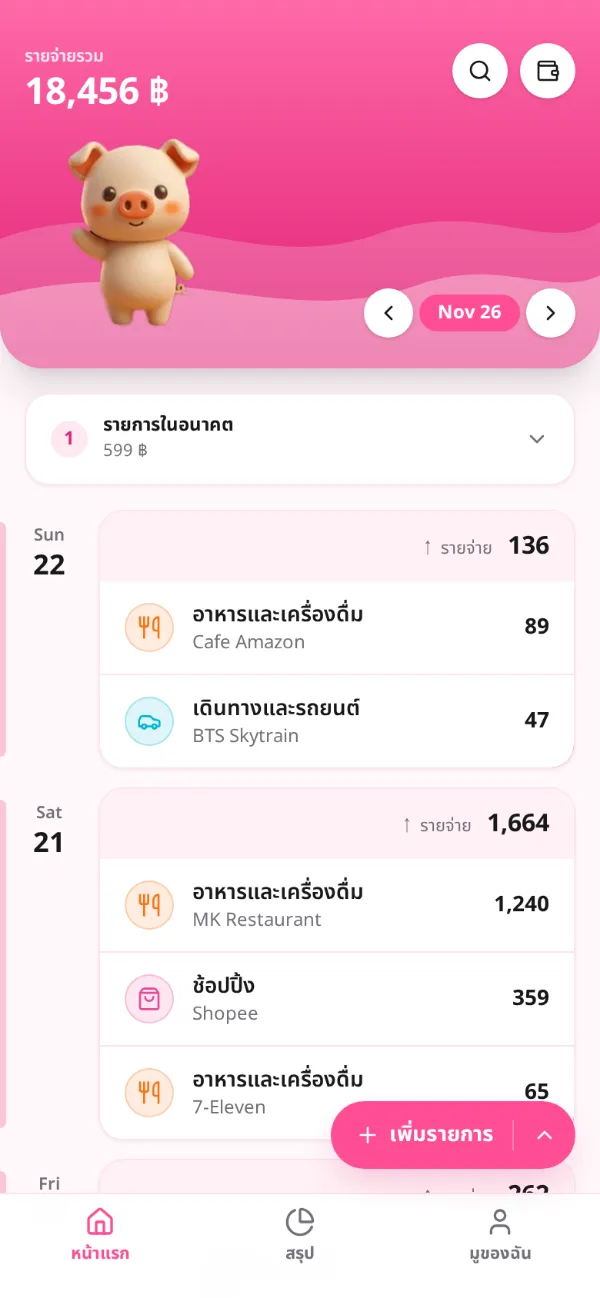
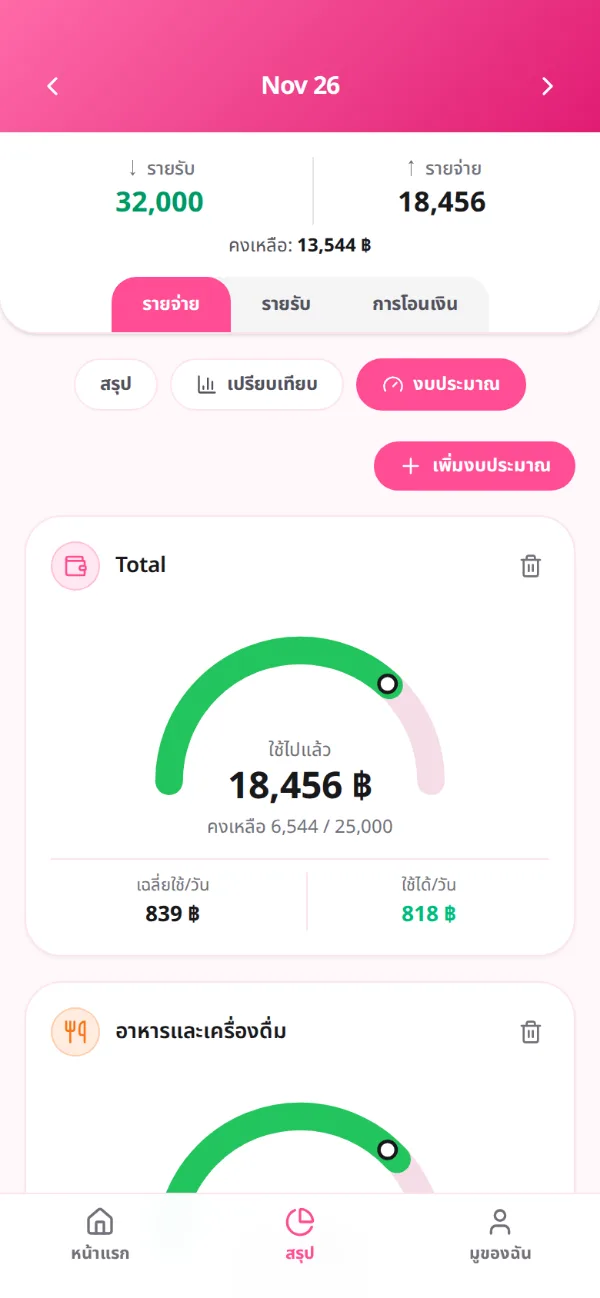
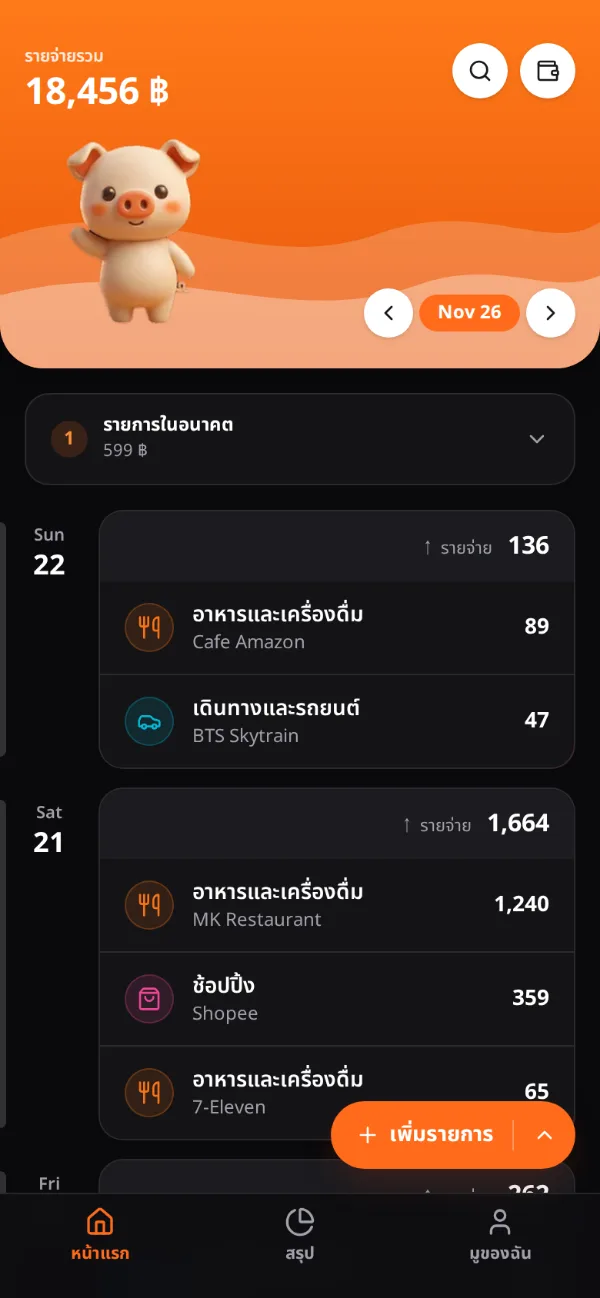
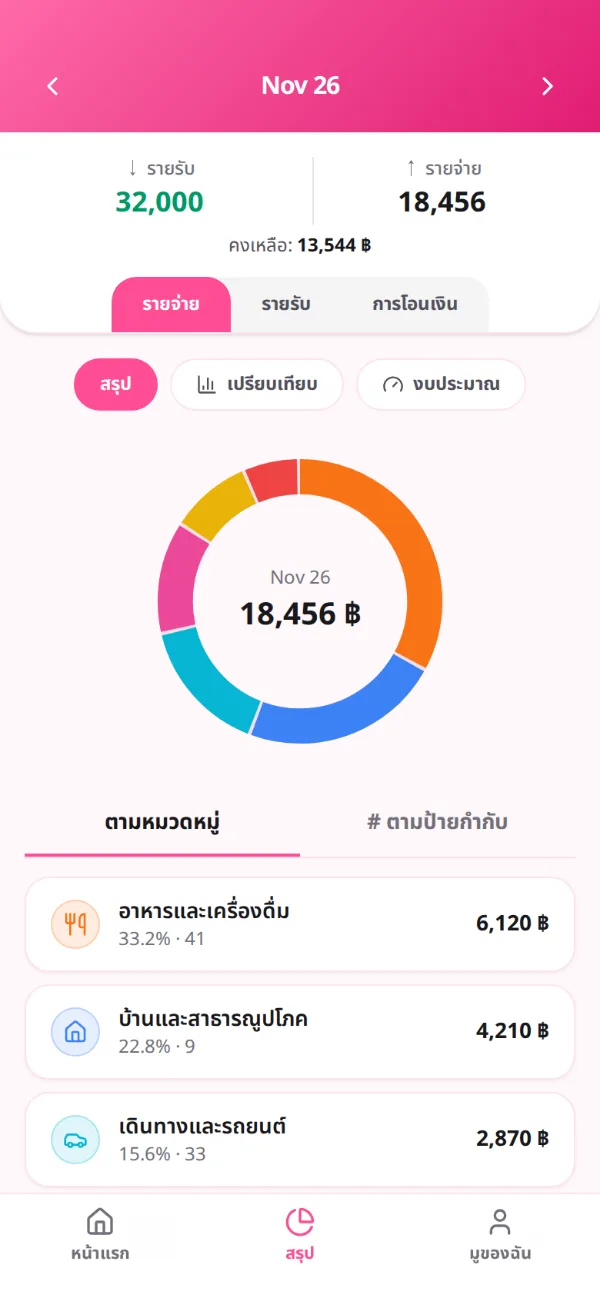
ข้อมูลในภาพเป็นตัวอย่างScreenshots use sample data.
ฟีเจอร์Features
มูทำอะไรได้บ้างWhat Moo can do
-
อ่านสลิปได้ 20 แอปReads slips from 20 apps
K PLUS, SCB EASY, Krungthai NEXT, MAKE, TrueMoney, Dime! และอีกเพียบ อ่าน QR และข้อความภาษาไทยด้วย OCR ในเครื่อง
K PLUS, SCB EASY, Krungthai NEXT, MAKE, TrueMoney, Dime! and more. It reads the slip QR and the Thai text with on-device OCR.
-
แยกหมวดให้เองSorts itself
มีกฎร้านค้าไทยและอังกฤษในตัว 247 ข้อ ตั้งแต่ 7-Eleven ถึง BTS แก้หมวดครั้งเดียว มูจำไว้ใช้ครั้งหน้า
247 built-in merchant rules, from 7-Eleven to BTS. Fix a category once and Moo remembers it next time.
-
รู้ว่าโอนเข้าบัญชีตัวเองSpots your own transfers
ย้ายเงินข้ามธนาคารของตัวเองไม่ใช่รายจ่าย มูดูออกและไม่นับซ้ำ
Moving money between your own banks isn't spending. Moo can tell, and doesn't count it twice.
-
สรุป เทียบ และตั้งงบSummaries & budgets
โดนัทแยกตามหมวดหรือแท็ก เทียบย้อนหลัง 6 เดือน และงบที่บอกว่ายังใช้ได้อีกวันละเท่าไหร่
A donut by category or tag, a 6-month comparison, and budgets that tell you what you can still spend per day.
-
นำเข้าบิลบัตรเครดิตCredit card statements
นำเข้า e-Statement PDF ที่ล็อกรหัสไว้ได้ ทั้ง KBank, SCB, KTC, Krungsri, BBL, ttb, UOB และ AEON
Import password-protected PDF e-statements from KBank, SCB, KTC, Krungsri, BBL, ttb, UOB and AEON.
-
ข้อมูลเป็นของคุณYour data, your way
ส่งออก CSV หรือ JSON ได้ตลอด ใช้ได้ทั้งไทยและอังกฤษ เลือกธีมชมพูหรือดำส้ม
Export to CSV or JSON any time. Thai or English, pink or black and orange.
ความเป็นส่วนตัวPrivacy
เรื่องเงิน เป็นเรื่องของคุณYour money is your business
-
ไม่ต้องมีบัญชีNo account
ไม่ต้องสมัคร ไม่ต้องล็อกอิน เปิดแล้วใช้ได้เลย
No sign-up and no log-in. Open it and go.
-
อยู่ในเครื่องเท่านั้นStays on your phone
บัญชีรายรับรายจ่ายเก็บในมือถือคุณ ไม่มีเซิร์ฟเวอร์ของ MooJot ให้ส่งไป
Your ledger is stored on your phone. There's no MooJot server to send it to.
-
อ่านเฉพาะอัลบั้มสลิปOnly slip albums
ค่าเริ่มต้นจะไม่เปิดรูปจากกล้อง ภาพหน้าจอ หรือโฟลเดอร์ดาวน์โหลดเลย
By default it never opens your camera photos, screenshots or downloads.
-
ไม่มีโฆษณา ไม่มีตัวติดตามNo ads, no trackers
แอปไม่มี SDK เก็บสถิติ และเว็บนี้ก็ไม่ใช้คุกกี้
The app has no analytics SDK, and this website sets no cookies.
นโยบายความเป็นส่วนตัวPrivacy policy ข้อตกลงการใช้งานTerms of service
เป้าหมายRoadmap
เรากำลังไปทางไหนWhere we're headed
แอปจดรายรับรายจ่ายที่เข้าใจธนาคารไทยที่สุด ฟรีทุกฟีเจอร์ตลอดไป และข้อมูลไม่ออกจากเครื่องคุณ
The money tracker that understands Thai banks best. Every feature free forever, and your data never leaves your phone.
ทำเสร็จแล้วBuilt
- อ่านสลิป 20 แอปธนาคารและวอลเล็ตSlip reading for 20 banks and wallets
- แยกหมวดอัตโนมัติและจำสิ่งที่คุณแก้Auto categories that learn from your fixes
- สรุป เทียบ 6 เดือน และงบประมาณSummaries, 6-month compare and budgets
- นำเข้า e-Statement บัตรเครดิตCredit card e-statement import
กำลังทำIn progress
ในแผนPlanned
- ล็อกแอปด้วยลายนิ้วมือFingerprint app lock
- วิดเจ็ตบนหน้าจอหลักHome-screen widget
- แจ้งเตือนให้จดทุกวันDaily reminder
อยากได้ฟีเจอร์ไหน บอกเราบน GitHubWant something? Ask on GitHub
คำถามFAQ
คำถามที่พบบ่อยQuestions
ติดตั้งนอก Play Store ปลอดภัยไหม?Is installing outside the Play Store safe?
ไฟล์ APK สร้างโดย GitHub Actions จากซอร์สโค้ดสาธารณะ เซ็นด้วยคีย์ของโปรเจกต์ และมี SHA256SUMS ให้ตรวจ คุณเปิดอ่านโค้ดได้ทุกบรรทัด
The APK is built by GitHub Actions from the public source code, signed with the project's key, and published with SHA-256 checksums. You can read every line of the code.
ใช้กับ iPhone ได้ไหม?Does it work on iPhone?
ยังไม่ได้ ตอนนี้มีเฉพาะ Android 7.0 ขึ้นไป
Not yet. MooJot is Android-only for now (Android 7.0 or newer).
ต้องต่ออินเทอร์เน็ตไหม?Does it need the internet?
ไม่ต้อง การอ่านสลิป OCR และการแยกหมวดทำในเครื่องทั้งหมด
No. Slip reading, OCR and categories all run on the phone.
เสียเงินไหม?Does it cost anything?
ไม่เสียเลย ไม่มีโฆษณา ไม่มีแพ็กเกจรายเดือน และเป็นโอเพนซอร์สภายใต้สัญญาอนุญาต MIT
No. There are no ads and no subscription, and it's open source under the MIT license.
อัปเดตแอปยังไง?How do I update?
โหลดไฟล์ใหม่จากหน้านี้แล้วติดตั้งทับของเดิม ข้อมูลเดิมยังอยู่ครบ
Download the new file from this page and install it over the old one. Your records stay.